
Matter Bridge: Control TapHome Devices from Apple Home, Google Home, Alexa and SmartThings
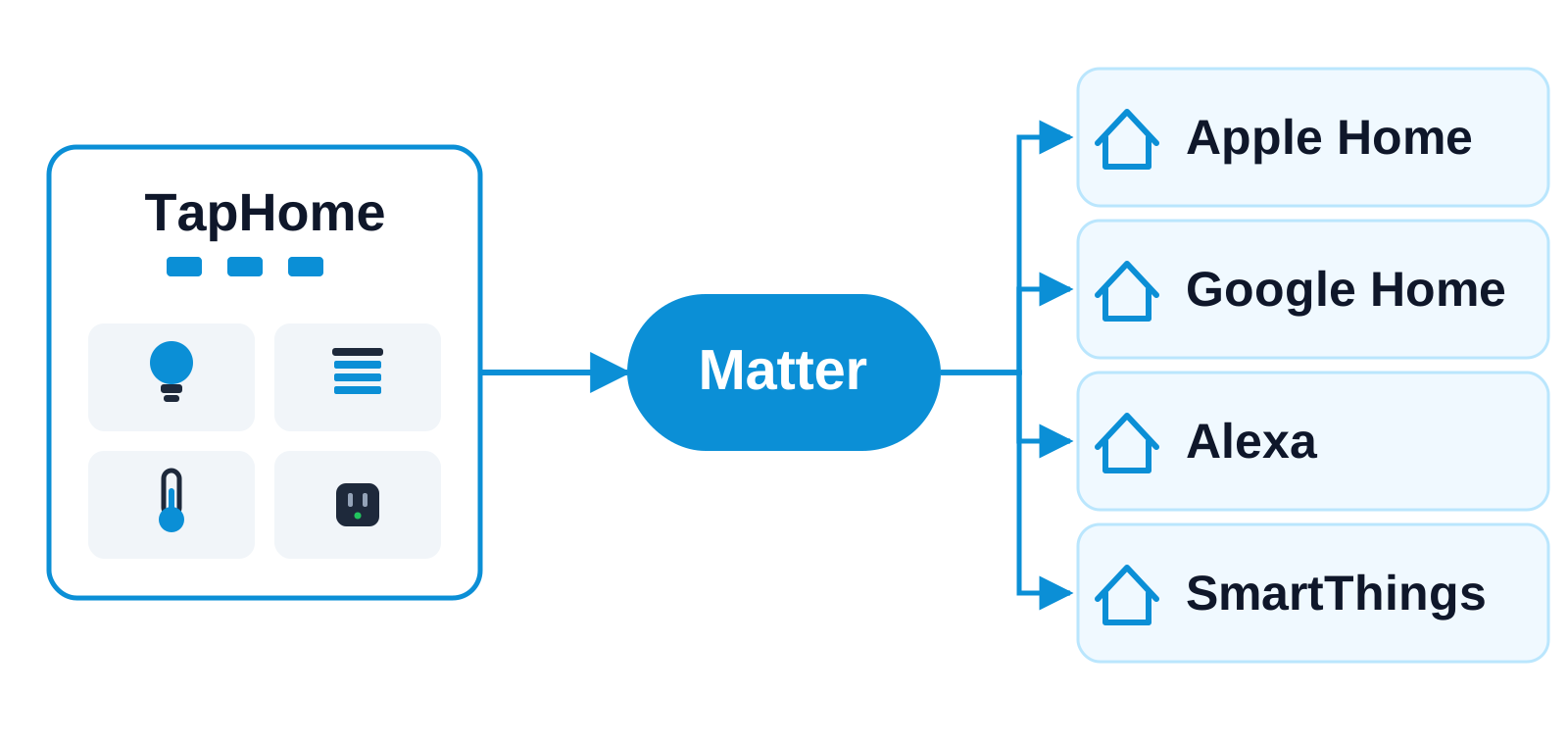
TapHome Core as a local Matter bridge: selected lights, blinds, thermostats, plugs and sensors appear in Apple Home, Google Home, Alexa and SmartThings.
Why and how you would use it
Some of your clients live in Apple Home, Google Home, Alexa or SmartThings. They ask for one thing: “I want to switch the living room light and lower the blinds in the app I already use every day.” Today they have to open the TapHome app for that, or you have to set up a separate connection for each ecosystem.
Matter is the common standard that all four ecosystems understand. If TapHome could act as a Matter bridge, the devices you choose would appear in those ecosystems like any other Matter device, and the control would stay on the local network.
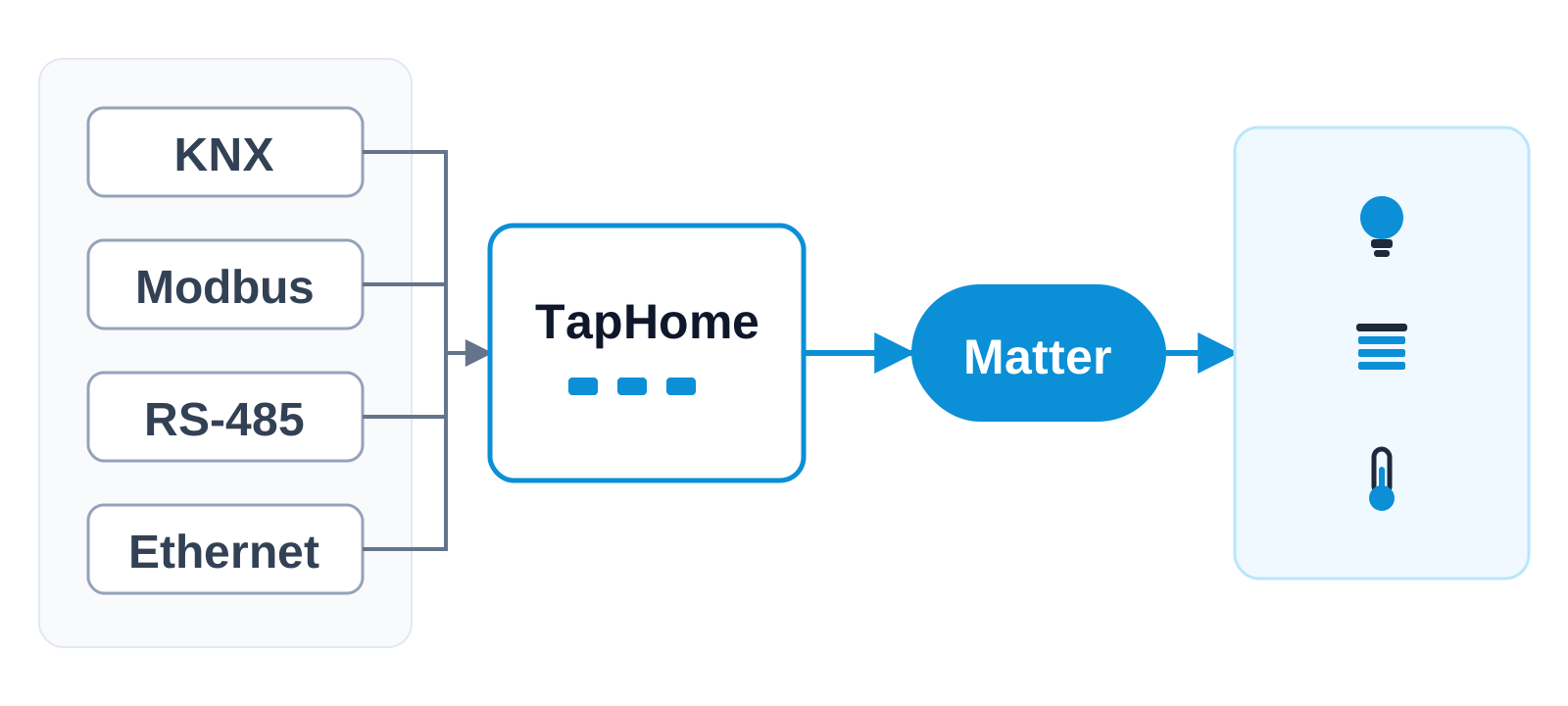
Devices on KNX, Modbus, RS-485 or over Ethernet already meet in the Core as ordinary TapHome devices. The bridge would publish the ones you select, whatever protocol they use underneath.
| Today | With this idea | |
|---|---|---|
| Apple and Google Home | No direct connection | Matter devices |
| Alexa | TapHome skill | Skill or Matter |
| SmartThings | Not exposed | Matter devices |
| Device selection | Per interface | One bridge list |
What will be possible
This is in development: TapHome Core would act as a Matter bridge. Which device types come first and how far each ecosystem goes is still open, and we are collecting your requirements. Nothing below is a promise of a date.
- Common devices. Lights, plugs and switches, blinds, thermostats and common sensors are the starting point.
- One bridge, several ecosystems. The same TapHome devices could appear in more than one ecosystem at once.
- Local control. Control would go over your local network, not through a cloud service.
- You choose the devices. As with the other Expose Devices interfaces, you add devices one by one, and only those are published.
What will not be possible
- Smart rules and scenes as they are. They would not appear as rules. At most they could be offered as switches.
- The same features everywhere. Each ecosystem supports different device types and may drop some capabilities of a device.
- Working without the Core. Bridged devices are published by the Core, so they are unavailable while the Core is offline.
- All devices by default. Nothing is published until you select it.
How to solve it today
TapHome can expose selected devices to other systems in Settings → Expose Devices. See Expose Devices.
- Amazon Alexa. Enable the TapHome skill in the Alexa app and expose the devices you want. It supports thermostats, switches, dimmers, blinds and RGB lights, and at the moment only US, UK, Italian and German accounts. See TapHome to Amazon Alexa.
- Home Assistant. Install the integration through HACS and bring exposed devices into Home Assistant, which can then pass them on to other systems. See Home Assistant integration.
- TapHome API. Any third-party application can read and control exposed devices over the REST API. See TapHome API.
- Apple Home and Google Home. TapHome has no ready-made interface for these two today.
- SmartThings. TapHome can use a SmartThings device in the other direction, for example SmartThings Switch/Plug. That brings a SmartThings device into TapHome, it does not publish TapHome devices to SmartThings.
Learn more
- Matter controller and Thread Border Router: the opposite direction, bringing Matter devices into TapHome.
- Matter versions of TapHome devices
- Matter appliances, media players and cameras
- Expose Devices
Tell us which ecosystem and which devices matter most to your clients: vote for this idea, follow it for updates and answer the poll below.
Which TapHome devices should the Matter bridge publish first?
Related
Status history
- Oct 18, 2026 In development Published
Comments 0
Sign in with your TapHome account to comment. The team approves comments before they appear.
No comments yet.
·
The original comment was deleted.
Ideas describe direction, not commitments. We do not publish dates; released features are announced in the release notes.
Sign in with your TapHome account to follow. We email you when something changes; unsubscribe in one click.
Confirming your vote…