
Controller with display: idle screen with a large clock, values screen and a colored status corner
While nobody is near, the Controller with display would show a large clock and up to three values you choose, such as the room temperature or the weather. A new screen would show up to three values from different devices, and the top-right corner would turn green, yellow or red with the CO₂ level.
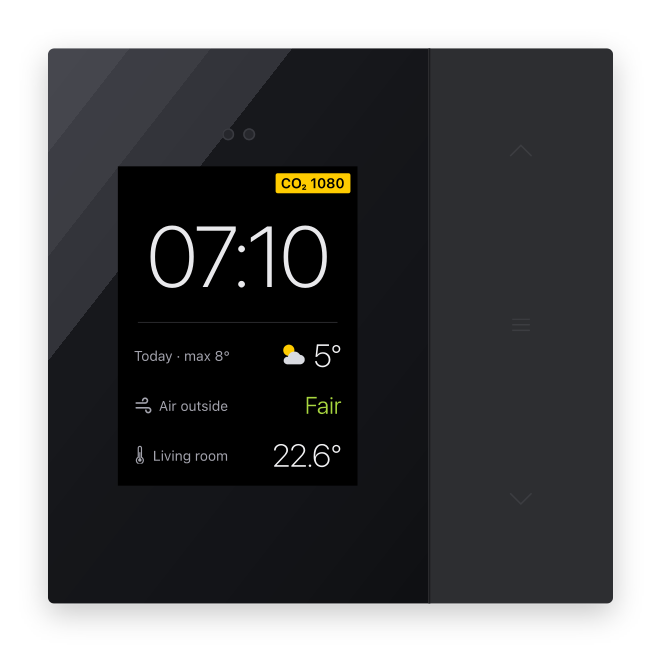
A draft: in the morning, the hallway controller shows the time, the weather, the outdoor air and the room temperature, and the CO₂ in the corner turns yellow when it is time to open a window. The details may still change.
Why and how you would use it
The Controller with display shows one device per screen: a thermostat, blinds or a light. While nobody is near, it stays dark, and the clock is small in the top-left corner. You cannot read the time from across the room or see at a glance whether the air in the room is fresh.
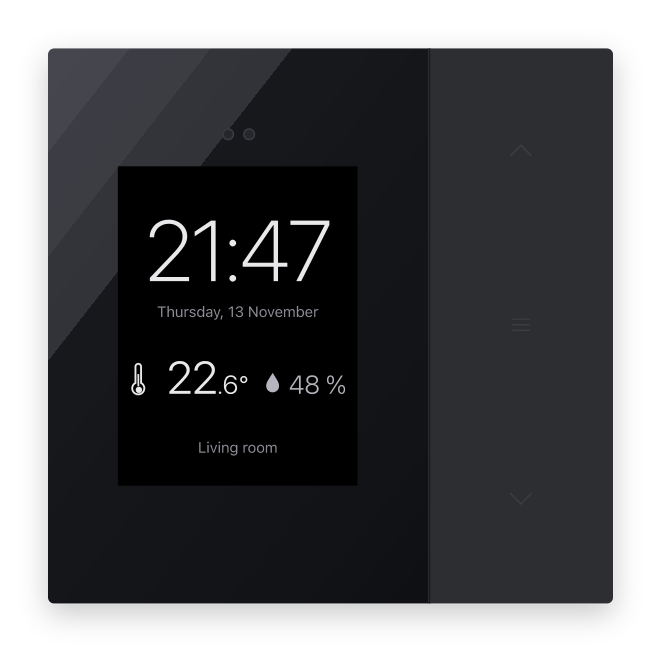
Partners ask for a display that is useful from a distance: a large clock and the room temperature while nobody is near, the screens as soon as someone comes close.
| Today | With this idea | |
|---|---|---|
| Nobody near | Dark display | Clock and your values |
| Clock | Small, in a corner | Large, readable from afar |
| Several values | One device per screen | Up to 3 values |
| Stale air | Open the app | Corner turns yellow or red |
What will be possible
We are evaluating this idea. Nothing below is scheduled yet.
- An idle screen. While nobody is near, a large clock and up to three values you choose, for example the room temperature, the humidity or the weather. When you come close, the controller wakes to its screens as today.
- A values screen. A new screen in the list of screens with one, two or three values from different devices, one below the other, only for reading.
- A status corner. The top-right corner of any screen shows CO₂ or the outdoor air quality on a green, yellow or red background. CO₂ is green below 1000 ppm, yellow up to 1400 ppm and red above.
- Signals when something happens. An open window or an armed alarm takes the corner while it lasts.
- Weather and outdoor air. The OpenWeather integration would also bring the outdoor air quality index, so the morning screen can show both.
What will not be possible
- CO₂ measured by the controller. The controller measures temperature, humidity, proximity and light. CO₂ comes from another device, such as a ventilation unit or a CO₂ sensor.
- More than three values below each other. Three values keep the numbers large enough to read from a distance.
- Free text on the display. Labels come from a fixed set prepared by the app.
- Weather without an OpenWeather key. Weather and outdoor air come from your own OpenWeather account.
How to solve it today
- Wake the display when you come near. In the controller settings, set Display wake up to On presence or click. The display stays dark while nobody is near and lights up when you approach.
- Weather in TapHome. The OpenWeather integration brings the outdoor temperature and the weather into TapHome, where you can show them in the app.
- Stale air. A CO₂ value from a ventilation unit or a sensor can switch the ventilation with a smart rule.
Learn more
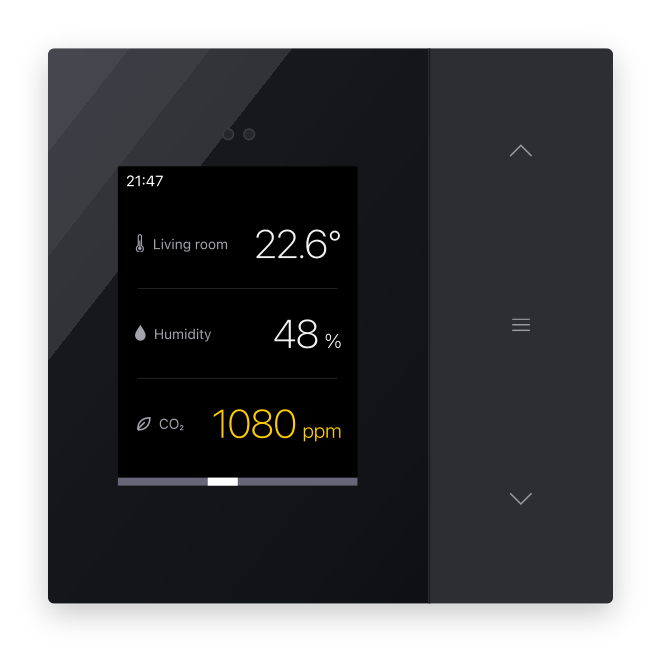
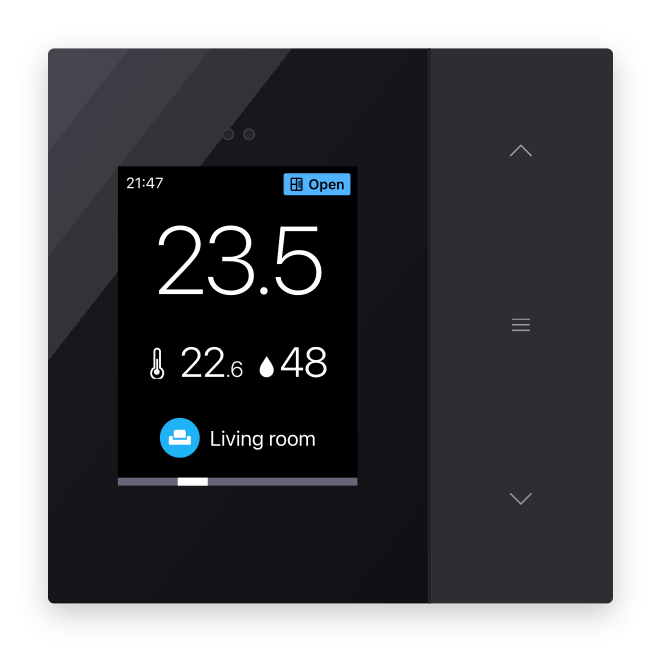

A values screen with the room temperature, humidity and CO₂; the thermostat screen with an open window in the corner; and the idle screen settings in the app.
- Controller with display in the shop.
What would you like to see on your controller from across the room? Vote, follow this idea and answer the poll below.
What would you like to see on your controller from across the room?
Related
Status history
- Nov 15, 2026 Gathering interest Published
Comments 0
Sign in with your TapHome account to comment. The team approves comments before they appear.
No comments yet.
·
The original comment was deleted.
Ideas describe direction, not commitments. We do not publish dates; released features are announced in the release notes.
Sign in with your TapHome account to follow. We email you when something changes; unsubscribe in one click.
Want to know when this moves forward?
Follow this idea to get an email when its status changes. Unsubscribe in one click.
Sign in with your TapHome account to follow. We email you when something changes; unsubscribe in one click.
Confirming your vote…