
15 topics, from first wiring to everyday operation.
Wiring / Applications / Initial Setup / Functional areas / Configuration
TapHome documentation is the reference for installing, configuring and running a TapHome smart home. Here you find step-by-step guides, the list of compatible devices and fixes for known problems, and you can ask the AI Assistant or follow Ideas for what comes next.
Ask the AI Assistant232 compatible devices
26 ideas
274 community templates
15 guide topics
Every section in one place.
15 topics, from first wiring to everyday operation.
Wiring / Applications / Initial Setup / Functional areas / Configuration
232 devices with a ready-made template · 114 manufacturers
Air conditioning · Air recovery · Alarm system · Audio · Boiler · Data service · Electric meter · Gateway · Heat pump · I/O Module · Inverter · Lighting · Other · Sensor · Smart plug · Thermostat · Wallbox
Ask about TapHome in your language
Vote, follow, try features in beta
26ideas 2In development 6Beta
Build a device template from its PDF manual
PDF manual Device template
274 community templates in the Portal
The complete documentation, by topic.
Software updates and ideas taking shape.
Release Notes
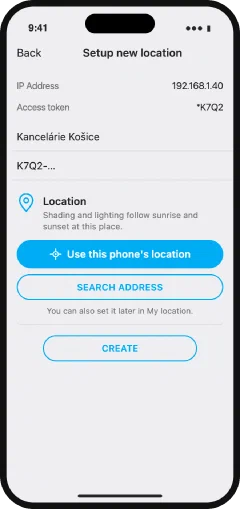
Build a template from the device’s PDF manual, or start from a community template in the portal.
How helpful was this?
We'll pass your question to our technicians. We usually reply within 24 hours.
We only offer installations where you have Admin or Service. Core 1 does not get the beta — the assistant will tell you.
✦
🌙 The support assistant is away right now. The reply comes when it is back.
For a reply by e-mail, use "Leave a contact" in the AI Assistant.
We need you to sign in so the assistant can see which installations you have Admin or Service on.
We can't see an installation with the Admin or Service permission on your account — the assistant replies without looking into an installation. For a reply by e-mail, use "Leave a contact" in the AI Assistant.
Support will see the page, your question and your conversation with the AI Assistant.
The reply comes to WhatsApp on your phone.
The WhatsApp message was not sent within 60 minutes.
You are among the first partners who can roll out 2026.1 to customers. The support assistant does the upgrade for you on WhatsApp or by e-mail — it checks the unit and makes a backup before the change.
Try 2026.1 before everyone else. The support assistant does the upgrade for you on WhatsApp or by e-mail — it checks the unit and makes a backup before the change.
The beta may contain bugs. We make a backup before the upgrade.
Your question is with our technicians. Meanwhile, feel free to keep asking.