
Devices in Another Building — Fiber, LAN and Modbus
How to connect energy meters, Modbus devices and TapHome modules in another building of a site: LAN over fiber with a Modbus to LAN converter, a second Core, or RS-485 over fiber.
Last updated:
The TapHome bus does not run over a network or fiber. To reach devices in another building of the same site, run an ordinary LAN between the buildings — over fiber when it is already there — and connect the devices over Modbus. TapHome has no fiber module for the Core, because a standard network does the same job.
Which Option to Choose
| What is in the other building | Option |
|---|---|
| Energy meters or other devices on RS-485 (Modbus RTU) | A — LAN over fiber with a Modbus to LAN converter |
| Devices with Modbus TCP (LAN port) | A — LAN over fiber, no converter needed |
| TapHome modules (switches, relays, inputs) | B — second Core |
| RS-485 devices only, and the site does not want a LAN between buildings | C — RS-485 over fiber |
A — LAN over Fiber (Recommended)
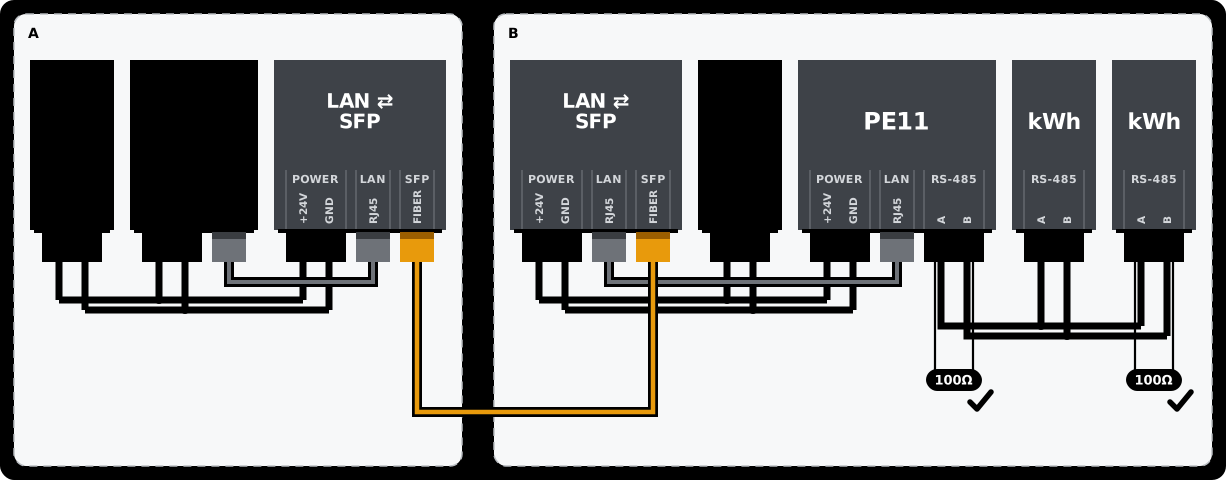
Two media converters, or switches with an SFP slot, carry the LAN over the fiber. Fiber also isolates the buildings galvanically, so a lightning surge or a ground difference between them does not travel along the cable.
- Media converters or switches with an SFP slot — 100 Mbit is enough. The SFP module must match the fiber that is in the ground: multimode reaches a few hundred meters, single-mode several kilometers; the connector (LC, SC) must fit, and a single fiber needs a matched pair of modules (A and B side). A DIN-rail model powered from 12–48 V DC runs from the TapHome 24 V supply; in an unheated building choose a model rated for frost.
- Modbus to LAN converter for RS-485 devices, for example the Protoss PE11. One converter serves one RS-485 line of up to 32 devices and 1200 m of cable. All meters on the line share its baud rate, parity and stop bits, and each needs a unique Slave ID. The setup steps are on the product page.
In the TapHome app: add a Modbus TCP interface in Hardware, a module with the IP address of the converter and each meter’s Slave ID, and the meters from their templates or by registers (Modbus). Give the converter a fixed IP address, either a DHCP reservation in the router or a static address in the converter. The PE11 in the Modbus protocol mode is a Modbus TCP gateway, so keep Modbus RTU over TCP off; turn it on only for a transparent converter that passes RS-485 through unchanged (TapHome 2026.1 and newer, release notes 2026.1).
Example Products
| Product | Use | |
|---|---|---|
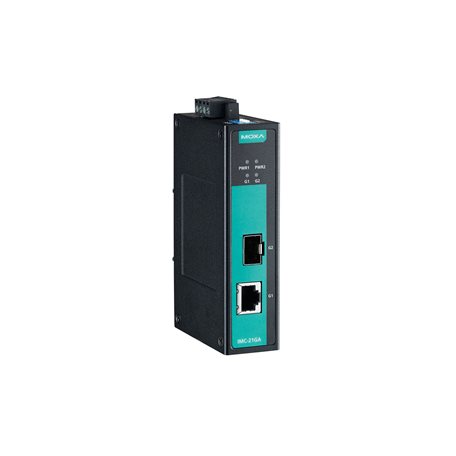 | Moxa IMC-21GA | Media converter with an SFP slot, DIN rail, 12–48 V DC; the -T version for −40 °C |
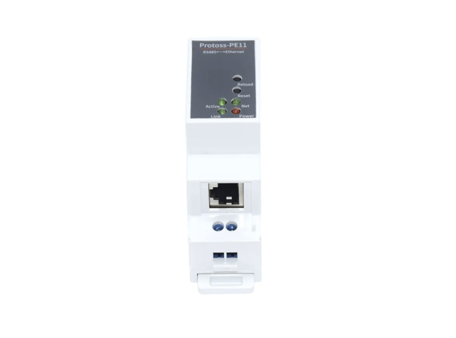 | Protoss PE11 | Modbus to LAN converter for one RS-485 line, sold in the TapHome shop |
B — Second Core in the Other Building
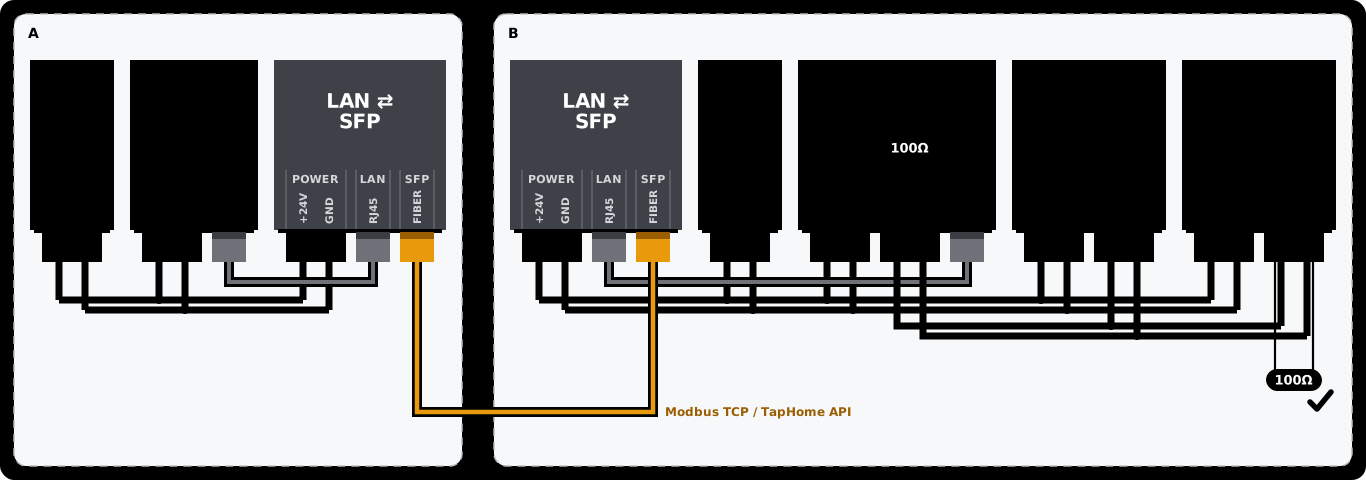
When building B needs TapHome modules, give it its own Core with the modules on its bus, connected to the main Core over LAN on fiber as in option A. Core B exposes the devices the main Core needs in Expose Devices → Modbus TCP (TapHome to Modbus), and Core A reads them through a Modbus TCP interface with the IP address of Core B; each device is set up on Core A by the registers that Core B lists for it. Core A can also read the TapHome API of Core B over the local network with a Packet Parser HTTP script. When the fiber is down, Core B keeps running its own modules and smart rules; Core A only loses the shared devices.
C — RS-485 over Fiber
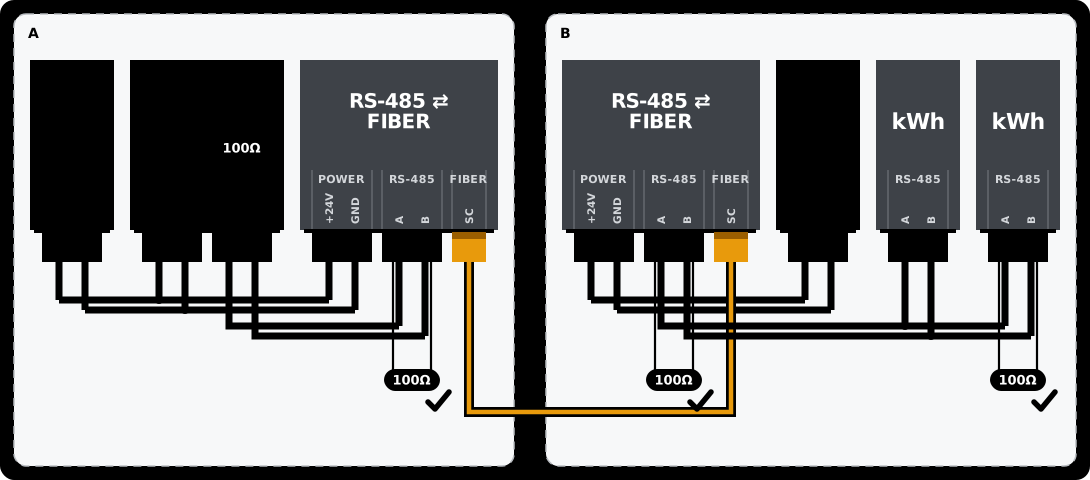
A pair of RS-485 fiber modems carries the two RS-485 wires over fiber without a network; in the app, the meters are ordinary Modbus RTU devices on the Core’s bus port. Each pair is one point-to-point line and takes one bus port of the Core, and it offers no diagnostics beyond its LEDs. Choose modems with automatic data direction control and 12–48 V DC power, for an unheated building a model rated for frost. Each copper section needs 100 Ω termination at both ends: the Core has it built in, the modem usually has a switchable one (Modbus RTU wiring).
Example Product
| Product | Use | |
|---|---|---|
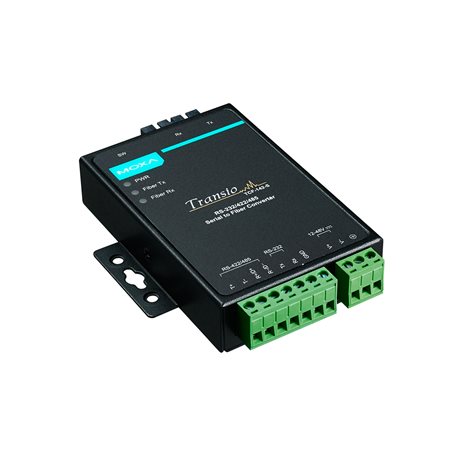 | Moxa TCF-142 | RS-485 fiber modem with automatic data direction control, 12–48 V DC; DIN-rail kit sold separately, the -T version for −40 °C |
TapHome Modules in Another Building
TapHome modules cannot be connected over the LAN, Wi-Fi or a converter: the Core runs the TapHome bus only on its own bus terminals and on the Bus Extender. For modules in another building, use option B, or a copper cable from an isolated Bus Extender port (below).
Copper Cable Between Buildings
When there is no fiber and a bus cable has to leave the building, use an isolated port of the Bus Extender with a separate power supply in the other building, and surge protection at both ends. An optical bus isolator adds galvanic separation but does not replace surge protection. An RS-485 line for Modbus RTU can be up to 1200 m long.