
Version 2022.2
What's new in TapHome 2022.2: Simple New Location Setup, Packet Parser Overhaul, Online Templates via GitHub, DALI Lights Configuration and more.
Simple New Location Setup
During setup, you must be logged in with a TapHome account. The new control unit after powering on can be found in Locations at the top and will scan automatically. We removed the original procedure of Logout -> Login via LAN.
Packet Parser
The new packet parser underwent a complete overhaul, error states with descriptions were added and stability improved. We extended parsing with new commands for working with XML, JSON, String, Byte Array formats. The option to use parsing via created templates remains. Through the TapHome app, you can now also select Sonos playlists, Tidal streaming service and internet radios were added. So nothing stands in the way of music control.
New Templates Don’t Require App Update
Templates for Modbus and Packet parser have been moved to online storage on GitHub. This means you need internet for their update. If you create a new template yourself, you can save it or share it with other users via GitHub.
Packet Parser and Modbus templates on GitHub: Custom XML templates for Packet Parser and Modbus GitHub - taphome-official/modbus_templates GitHub - taphome-official/packetparser_templates
DALI Lights
It is no longer necessary to configure DALI lights in Resi software. We have extended the Modbus template for DALI so that all settings are done only in the TapHome app.
Adding Multiple TapHome or Modbus RTU Buses
For expansion, you will need a USB / RS485 interface. This way, for example, you can use all buses on Core for dividing TapHome devices and use the USB extension for Modbus RTU.

New Packet Parser
- MQTT support - thanks to this support, it is possible, for example, to get instant information about packet parser device changes into TapHome
- Stability improvement - We added error states with descriptions
- New commands for working with XML, JSON, String, Byte Array formats
- Sonos - new template with playlist support
- Satel - new templates for alarm
- Dali - new templates for lights
- Shelly - new templates for Shelly Door-Window, Shelly Motion 2, Shelly 1PM
- Weather - new templates for Ecowitt WS2910
- Heating - We added a template for Sensibo Air Conditioner Smart Control
- Lighting - new templates for Yeelight Color
Scripting Language Improvements
- Loop support
- Data type support
TapHome Accounts versus Local Accounts
- Option to allow or deny remote access for TapHome accounts (email / password).
- Local accounts (admin / admin) have remote access disabled.
- Initial password for local account “admin” must be set before first use by entering the control unit’s Access token.
- Initial setup (initialization) of the control unit can only be done when logged in through a TapHome account - even when the control unit is not connected to the internet. This means local accounts are no longer needed, and the user never needs to log out of their account.
- The application can identify control units on the same local network (“LAN” icon), and offers them at the beginning of the location list.
- If the application finds an uninitialized unit on the same local network, clicking on it will directly start the initialization process (in older versions it was necessary to log out of the account or use the Add location menu).
IP Scanner
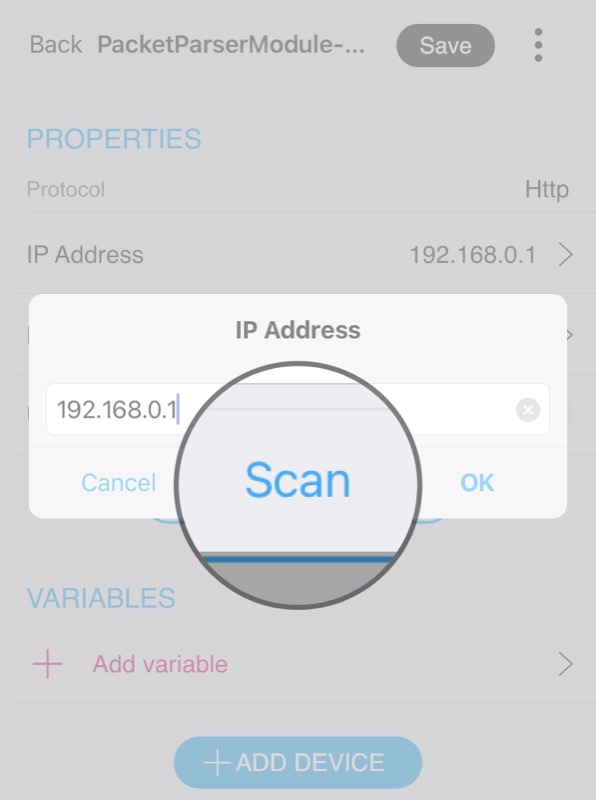
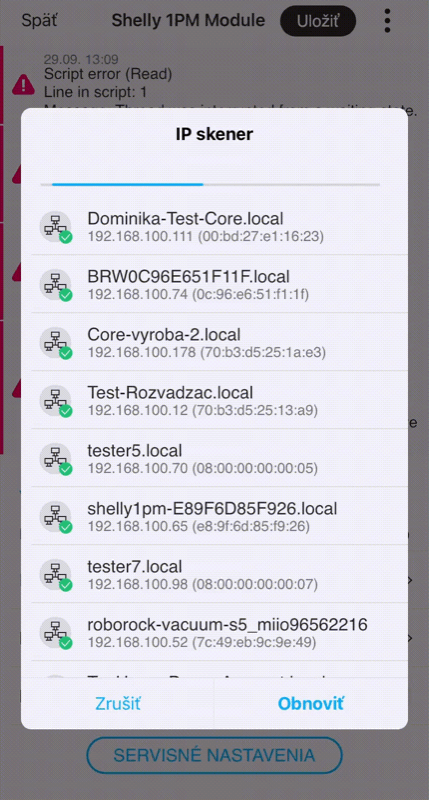
You won’t need the Fing app or Windows Advanced IP scanner anymore. You can scan the local network directly when adding a device via Modbus TCP or Packet parser. The system will assign them an mDNS address and therefore you don’t need to set up IP address reservation in the router.
Using Hardware Timers from Devices
Doesn’t flood the bus during fade, button dimming, etc. We currently support Zigbee and TapHome Bus. Support for DALI dimming is not yet available.
New Hardware Interface MQTT Broker
For using the MQTT protocol, you no longer need a separate Linux computer, it can run directly in Core. Through the new packet parser, you can also use WiFi button devices and they will have instant response.