
MQTT Broker
Introduction to the MQTT protocol and activation of MQTT Broker service in TapHome system for communication with third-party devices.
What is MQTT?
MQTT (Message Queuing Telemetry Transport) is a lightweight publish/subscribe communication protocol specifically designed for the Internet of Things (IoT) and Machine-to-Machine (M2M) communication.
Basic MQTT Concepts
Publish/Subscribe Model:
- Unlike traditional client-server communication, MQTT uses a model where devices don’t need to know each other’s addresses
- Devices communicate through a central point - the MQTT Broker
- One device publishes messages to a specific topic
- Other devices subscribe to these topics and automatically receive messages
Topics:
- An organizational structure for messages, similar to folders in a file system
- Example:
home/living_room/temperature,home/kitchen/light/status - Devices can subscribe to specific topics or use wildcards (
home/#= everything in home)
MQTT Advantages:
- Extremely low data and energy consumption
- Works on slow or unstable networks
- Simple to implement
- Scalable from small to large systems
MQTT Broker in TapHome
MQTT Broker is a service for managing MQTT communication between devices. The Broker can be run on an external machine or directly on the TapHome controller.
TapHome MQTT Broker functions as:
- Central mediator for all MQTT messages in the system
- Bridge between TapHome and third-party devices (Shelly, Zigbee2MQTT, Tasmota, and others)
- Local service - all communication stays in your network, no data is sent to the cloud
How to activate MQTT Broker in TapHome
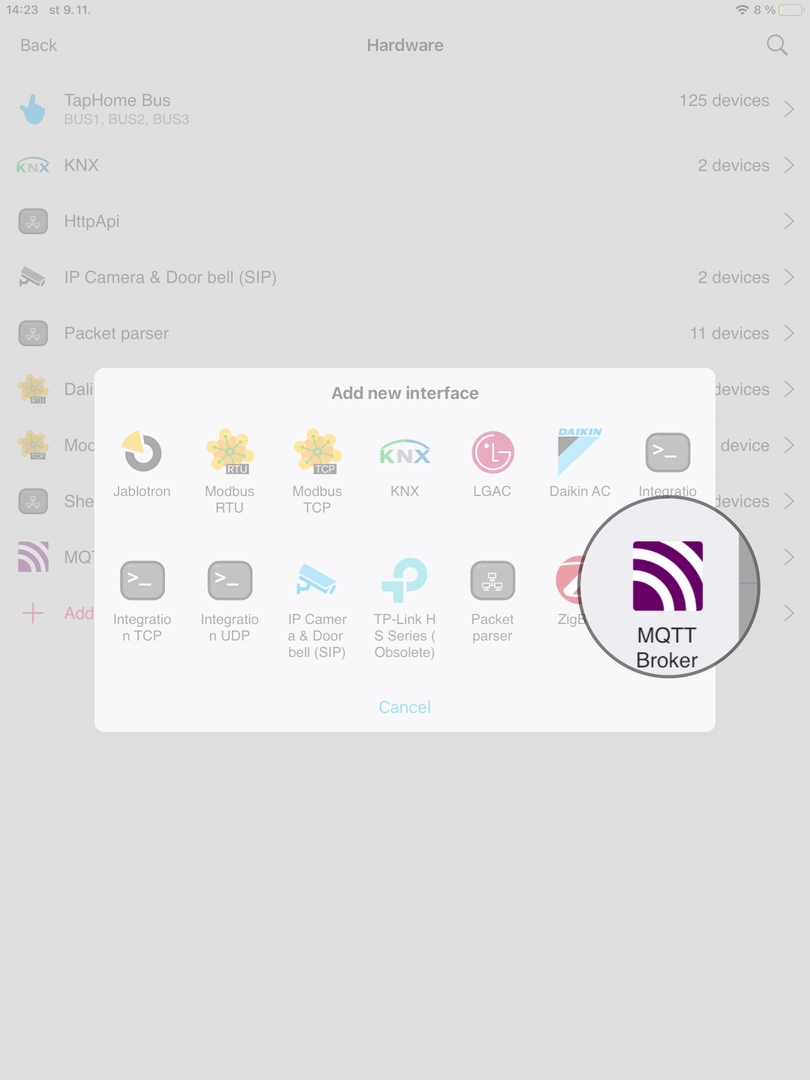
- Go to Settings → Hardware and select MQTT Broker
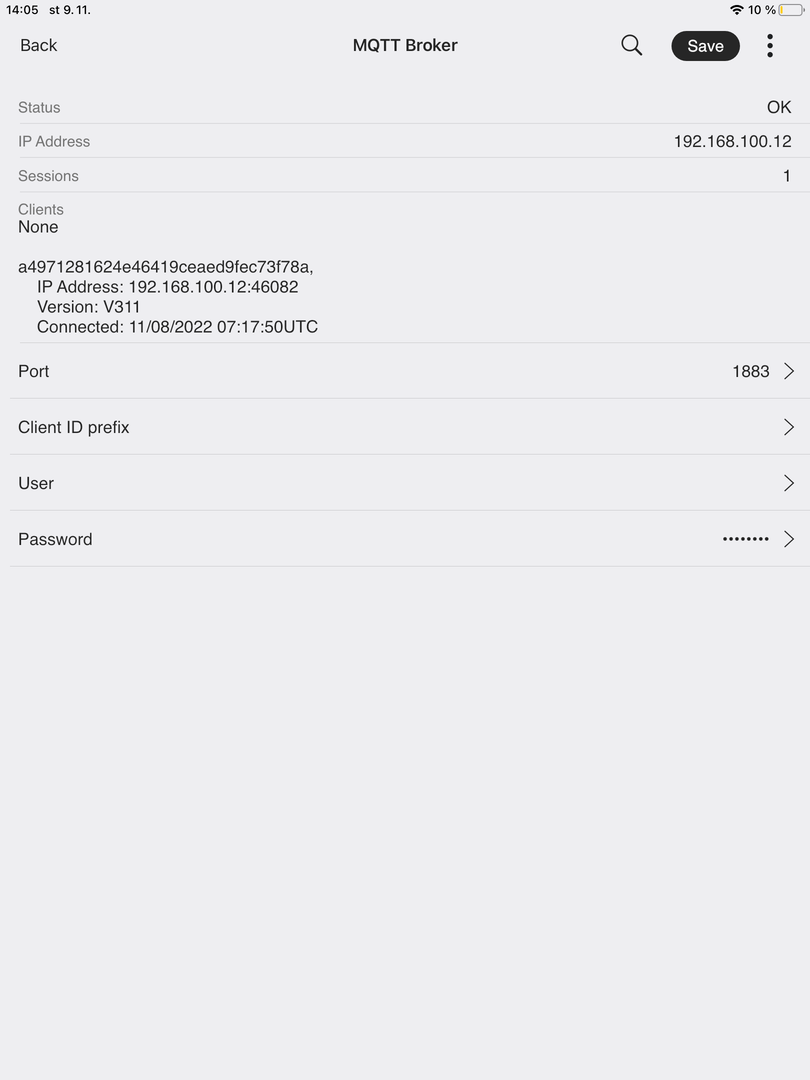
- Enter configuration details including port number, client ID prefix, username, and password
- Save the settings to activate the service
Configuration Details
After activation, the MQTT communication configuration is defined in Hardware → Packet parser.
Practical Usage Example
Scenario: You have a Shelly device (smart plug) and want to integrate it into TapHome.
- Activate MQTT Broker in TapHome (following the steps above)
- Configure the Shelly device - in its web interface, enter the TapHome controller’s IP address and MQTT broker port
- Create a Packet Parser module in TapHome with MQTT protocol
- Set up MQTT topics - for example,
shellies/shellyplug-s-12345/relay/0for the relay state andshellies/shellyplug-s-12345/relay/0/commandfor relay control - Device is connected - now you can control Shelly through the TapHome app and create smart rules
Result: Shelly publishes its state to an MQTT topic, TapHome receives notifications about changes. When you want to turn Shelly on/off, TapHome publishes a command to the corresponding topic.