
More energy meters on a single Modbus RTU bus
Configuration of multiple energy meters connected to a single Modbus RTU bus
Last updated:
To connect several energy meters to one Modbus RTU bus in TapHome, add each meter from a template as a Modbus RTU interface, assign it to a bus terminal (Bus1, Bus2 or Bus3) and give every meter its own Slave ID. You need the bus terminal unbound first and the meters connected one by one, because they all ship with the factory Slave ID 1. Start with a high Slave ID for the first meter (for 5 meters, 5 for the first, 4 for the second and so on) and change it in Service settings using the service action Slave ID. The result is a bus on which every meter has a different Slave ID.
Steps for configuring energy meters
Unbind the bus terminal
- Go to Settings → Hardware → TapHome Bus.
- Unbind the bus terminal to which the energy meters are connected.
Add new interface
- Go to Settings → Hardware → Add new interface → Modbus RTU.
- Go to Add from template, locate your energy meter and select Add.
Assign the terminal
- Open the meter details.
- At the top, go to Terminals and assign Bus1, Bus2 or Bus3.
Connect the meters one by one
- Do not connect all meters at once; start with the first meter.
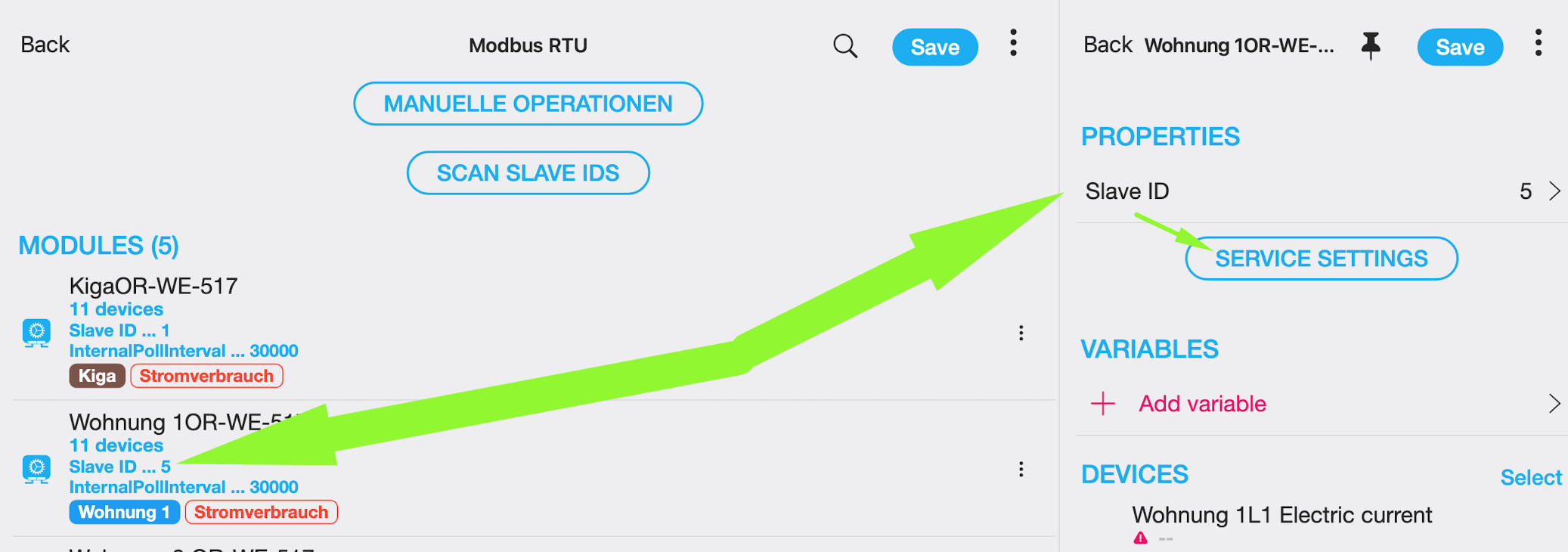
- Do not connect all meters at once; start with the first meter.
For the first meter, assign a high Slave ID
- Avoid setting the Slave ID to 1 (the default value from the factory).
- Example: If you have 5 meters, set the Slave ID of the first meter to 5.
Adjust the Slave ID in the service settings
- Click on Service settings.
- Scroll down and click on Slave ID (the service action “Slave ID”, not the module communication setting).
- Assign the value 5 (if you are configuring 5 meters).
- Save Service settings.
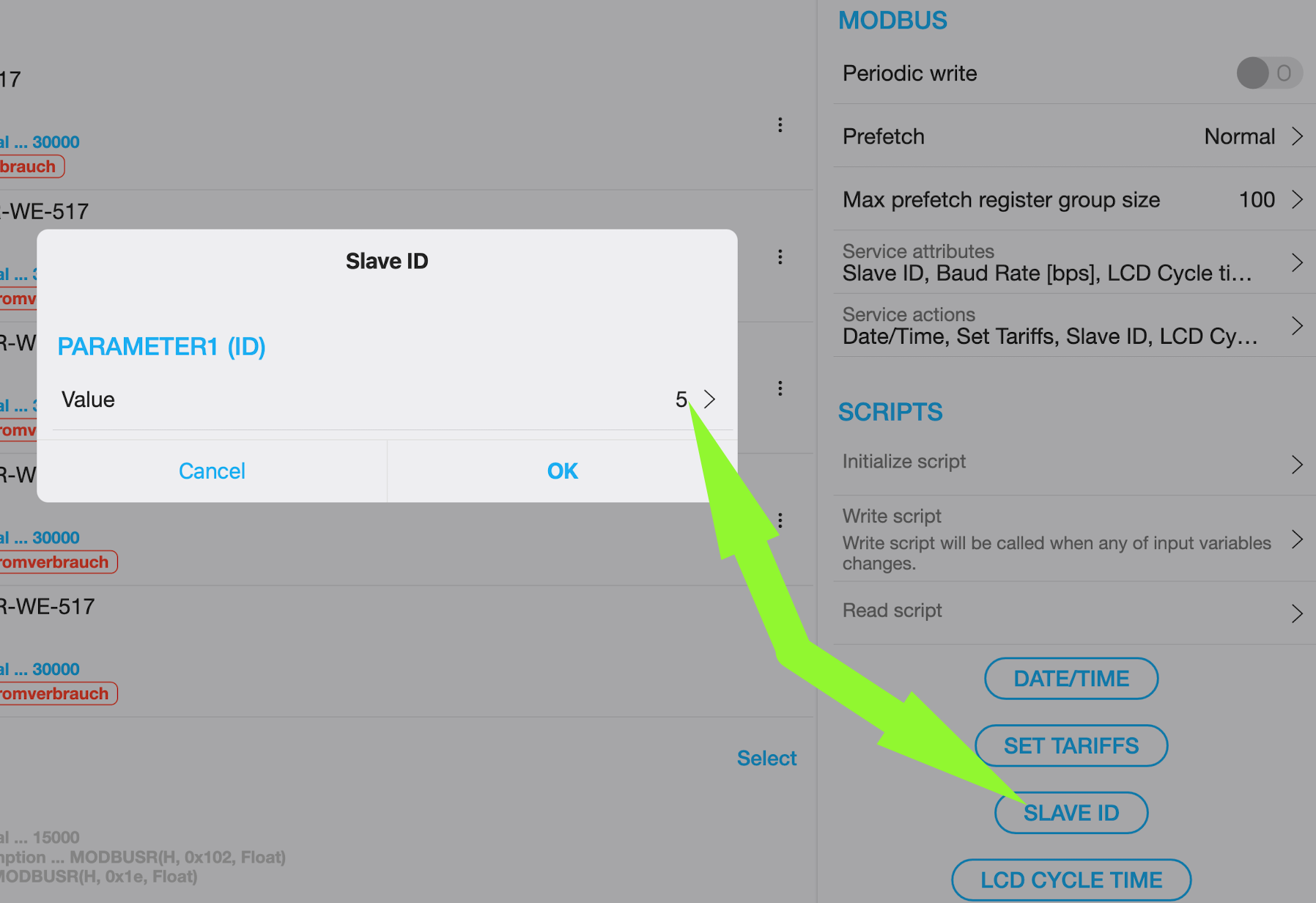
Connect the second meter
- Now connect the second meter to the same bus as the first meter.
- Repeat the same sequence:
- Set a different Slave ID (one lower than the previous meter)
- Go to Service settings
- Scroll down
- Click on Slave ID
- Assign the value 4 (if this is the second of 5 meters).
Repeat for the remaining meters
- Continue configuring each meter one by one, following the same procedure.
See also — Simple configuration using templates, Modbus RTU Wiring Examples.